
About GPTHelp
- Communication
- Freemium
GPTHelp allows you to create a custom automated AI support chatbot trained directly on your website content, files, and FAQs in minutes. You can customize the chatbot's design, behavior, personality, and triggers for human escalation. The platform also includes conversation monitoring tools to review chat history and intervene when necessary.
Written by our automated systems from GPTHelp's own description and website. It is a summary, not a scored review — we publish no rating, score or percentage we did not measure ourselves. The maker of this listing can edit or remove it.
What is GPTHelp?
GPTHelp is an AI chatbot platform that builds custom support assistants trained directly on a user's website content, files, and FAQs. The software takes the form of an embeddable website widget and unique URLs that automate responses to visitor inquiries. It is designed to replace manual FAQ setups by automatically fetching website pages and ingesting uploaded documents to answer customer questions.
GPTHelp key features
- Automatic website scraping by entering a URL to fetch pages for training
- File uploads including CSV, TXT, PDF, DOCX, PPTX, and MD formats
- Design customization including color, size, icons, name, role, attitude, and behavior
- Triggers for human escalation and collection of user details
- Conversation monitoring tools to review chat history and intervene in live chats
- Embedding on unlimited websites via provided embed code or direct linking
GPTHelp pros and cons
Pros
- Quick setup process that automatically fetches website pages and trains the AI without manual FAQ building
- Comprehensive design controls that let users modify colors, sizes, icons, names, and chatbot personalities
- Built-in conversation monitoring and history tools that allow human agents to take over chats when necessary
Cons
- Monthly message limits apply to all plans, capping interactions at 2000 for Starter, 5000 for Growth, 15000 for Premium, and 50000 for Business
- File size limits restrict uploads to a maximum of 2 MB per file on Starter, 3 MB on Growth, 5 MB on Premium, and 7 MB on Business
- Users cannot manually select which underlying AI model is used, as the platform automatically assigns advanced AI models by default
- Removing the Powered by GPTHelp label requires contacting support for a corporate plan
Who GPTHelp is for
GPTHelp fits website owners, marketing teams, and customer support staff who want to deploy automated help widgets trained on existing digital content. It is well-suited for organizations that need to ingest documentation, help centers, and web pages to handle recurring visitor questions. It is a poor fit for teams that require manual control over specific AI model selections or those needing high-volume messaging beyond the Business plan limit of 50000 monthly messages without negotiating a custom corporate plan.
GPTHelp pricing
GPTHelp offers a 7-day free trial on the Starter plan, with paid options including Starter at $19 per month for 2 chatbots, 100 web pages, 30 files, and 2000 monthly messages; Growth at $49 per month for 5 chatbots, 250 web pages, 70 files, and 5000 monthly messages; Premium at $99 per month for 10 chatbots, 500 web pages, 100 files, and 15000 monthly messages; and Business at $270 per month for 25 chatbots, 2500 web pages, 250 files, 50000 monthly messages, and priority support. All plans allow embedding on unlimited websites and adding raw text content, and taxes are excluded where applicable.
What makes GPTHelp different
Unlike generic conversational AI tools that require extensive manual prompt engineering and FAQ authoring, GPTHelp automatically crawls a provided website URL or sitemap to build its knowledge base. The platform combines automated document ingestion from multiple file formats with granular widget branding and active conversation monitoring. It provides dedicated tools for human intervention and escalation triggers directly within the chat interface, separating it from basic static FAQ widgets.
GPTHelp integrations and compatibility
Zendesk Help Center, Gitbook, CSV files, TXT files, PDF files, DOCX files, PPTX files, and MD files.
GPTHelp alternatives
The communication tools listed here closest to GPTHelp, by shared categories and tags and by how alike the two descriptions read. Not a ranking against GPTHelp — open one and judge for yourself.
 SiteGPTAI customer support agent trained on your website
 SiteSpeak AIAn AI agent for your site that answers and acts
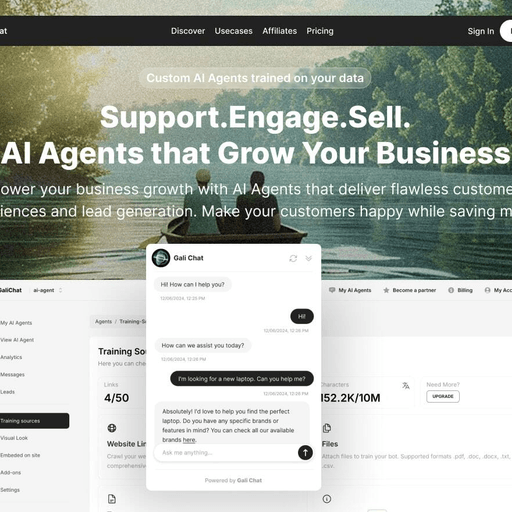 GaliChatCustom AI agents trained on your business data
 ChatbaseAI customer experience and support platform
 BotpressAI agent platform for customer support
 WonderchatAI customer support and conversion agent platform
Be the first to comment