
About Kittl
- Design Tools
- Freemium
Kittl is a design platform that integrates AI generation models with professional editing tools, templates, and mockups. Users can create logos, merchandise designs, social media graphics, and vector artwork using integrated AI features like image generation, background removal, and vectorization.
Written by our automated systems from Kittl's own description and website. It is a summary, not a scored review — we publish no rating, score or percentage we did not measure ourselves. The maker of this listing can edit or remove it.
What is Kittl?
Kittl is an AI-first design platform built for creators, designers, and businesses to produce branding and product visuals. It takes the form of an online workspace featuring an infinite canvas, professional editing tools, and integrated artificial intelligence generation models. The platform aims to solve the complexity of traditional design workflows by combining asset generation, vectorization, and layout editing into a single environment.
Kittl key features
- AI Image Generator to turn ideas into polished images
- AI Vector Generator to create clean and editable vector artwork
- AI Video Generator to generate and animate using Video AI
- Creative Flows for a faster path from idea to output
- Background Remover to cleanly remove image backgrounds
- Image Upscaler to turn low-resolution images into high-definition assets
- Vectorizer to transform any image into scalable paths
- Infinite Canvas workspace with real-time collaboration
Kittl pros and cons
Pros
- Provides a wide array of AI generation and editing models natively integrated into the workspace canvas
- Offers dedicated asset libraries including curated typefaces, icons, illustrations, and professional mockups
- Supports real-time collaboration for teams creating together
- Includes specific output tools like an image upscaler and vectorizer for converting raster inputs into scalable paths
Cons
- The Free tier limits users to 5 projects and a one-time allocation of 200 AI tokens
- Paid plans enforce daily and monthly caps on AI credits and token usage, such as 30 AI credits per day on the Pro plan
- File storage space is capped at 10GB on the Pro plan and 100GB on the Expert plan
- Access to the full library of 10,000+ premium templates and mockups requires a paid subscription rather than the free tier
Who Kittl is for
Kittl fits individual designers, creators, sellers, and businesses bringing brands, merchandise, and digital content to life across use cases like logos, t-shirts, social media posts, and marketing materials. It is suited for users who want to accelerate asset creation and layout building using built-in AI models and templates. It is a poor fit for teams requiring unlimited offline local storage or workflows completely isolated from cloud-based AI generation services.
Kittl pricing
Kittl uses a freemium pricing model with monthly and yearly billing options. The Free plan is $0/month and includes 5 projects, professional templates, 200 one-time AI tokens, and access to over 1 million photos, graphics, and fonts. The Pro plan is listed at $15/month (or $10/month billed annually at $120) and includes unlimited projects, 30 AI credits per day, 10GB file storage, 2,000 AI tokens per month, and 10,000 premium templates and mockups. The Expert plan is listed at $30/month (or $24/month billed annually at $288) and includes unlimited projects, 80 AI credits per day, 100GB file storage, 6,000 AI tokens per month, and access to 100M curated assets.
What makes Kittl different
Unlike traditional design suites that require separate tools for editing, vector manipulation, and external AI generation plugins, Kittl embeds multiple third-party AI models directly into its infinite canvas. It relies on AI generation tools alongside a curated system of templates, typefaces, and mockups specifically intended to keep the creator in control of the editing process. Rather than replacing the human creator, it merges asset sourcing, layout structuring, and AI execution into a single web application.
Kittl integrations and compatibility
The platform integrates multiple external AI models and services directly into its workflow, including models from ByteDance such as Seedream 4.5, Seedream 4, and Seedream 3; Ideogram including Ideogram 2.0, Ideogram 3 Quality, and AIdeogram; Google models including Nano Banana, Nano Banana 2, Nano Banana Pro, Nano Banana Pro 4K, and Google Imagen 4; OpenAI models including GPT Alpha, ChatGPT Image 1 HD, ChatGPT Image 1, DALL-E 3, ChatGPT Image 1.5 Medium, and ChatGPT Image 1.5 High; and Black Forest Labs models including Flux 1.1 Pro, Flux 1.1 Pro Ultra, Flux Schnell, Flux 2 [klein], Flux 2 Pro HD, and Flux Kontext Pro. For payments, it works with Stripe and accepts Visa, Mastercard, PayPal, Google Pay, Apple Pay, and Amex.
Is Kittl worth trying?
Kittl is worth trying for creators, designers, and businesses looking for an all-in-one design environment powered by multiple AI generation models and professional editing utilities. The free plan serves as a starting point for exploring the editor and making passion projects, while the Pro and Expert tiers unlock vector files, increased AI credits, larger storage limits, and extensive template libraries. Users who need heavy daily AI generation volume should review the specific daily credit caps on each paid tier before committing.
Kittl alternatives
The design tools listed here closest to Kittl, by shared categories and tags and by how alike the two descriptions read. Not a ranking against Kittl — open one and judge for yourself.
 BrandmarkAI logo maker and brand identity generator
 PlaygroundFree AI design tool for graphics and social posts
 MarkItUpAI marketing visual generator
 VectorArt.aiGenerate vector images with AI
 BeFunkyOnline photo editor and graphic design platform
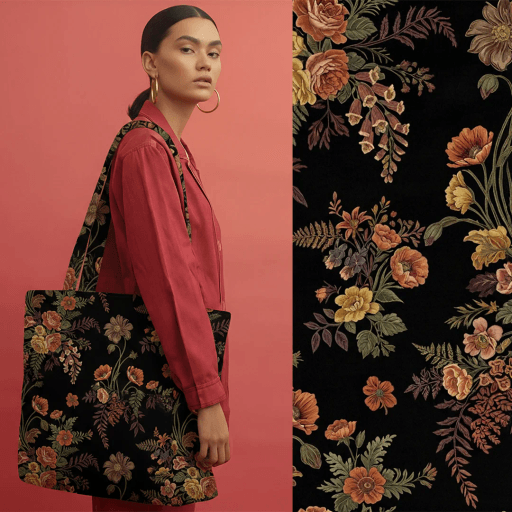 PatternedAIAI seamless pattern generator for textile and fashion
Be the first to comment