
About Humata
- Productivity
- Freemium
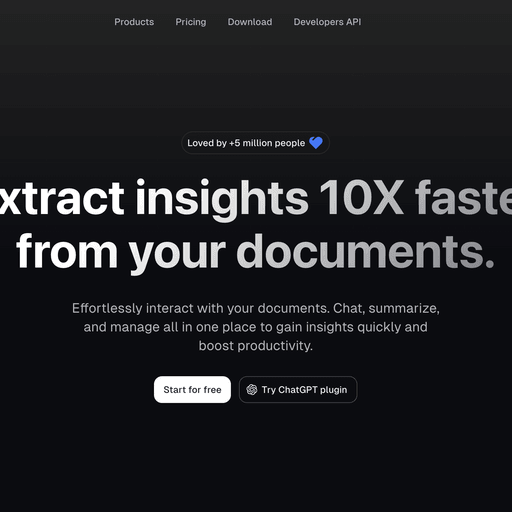
Humata is an AI agent that turns documents into a searchable knowledge base for instant answers and analysis. The platform allows users to upload files, receive summaries with citations, and ask questions about the content of their documents. It offers tiered subscription options alongside a free starting tier.
Written by our automated systems from Humata's own description and website. It is a summary, not a scored review — we publish no rating, score or percentage we did not measure ourselves. The maker of this listing can edit or remove it.
What is Humata?
Humata is an AI-powered knowledge base and document analysis agent that turns uploaded files into a searchable system for instant answers, summaries, and insights. It is designed to help users quickly skip through long technical papers, compare documents, and find specific information within their files. The platform is offered as a web-accessible tool with tiered subscription options ranging from a free starting tier to enterprise-level plans.
Humata key features
- Upload unlimited files to create a searchable knowledge base
- Generate automatic summaries and search for answers within uploaded documents
- Provide cited links back to source files for answers
- Rewrite summaries iteratively through continuous chat prompts
- Embed the PDF AI directly into web pages with a single click
- Secure files using 256-bit SHA encryption at rest
- Manage access through role-based security, department-level, and folder-level permissions
- Support optical character recognition (OCR) for images and scanned text
Humata pros and cons
Pros
- Includes citations in its answers so users can trace insights directly back to the original source files
- Allows users to iteratively refine and rewrite summaries through chat commands
- Provides enterprise-grade 256-bit SHA encryption for data security at rest
- Offers flexible subscription plans with the ability to upgrade, downgrade, or cancel at any time
Cons
- The Free tier is limited to 60 free pages of use per month
- The Expert tier is limited to 3 users and 500 free pages monthly, with additional pages costing $0.02 each
- The Team tier caps user seats at 10 and includes 5,000 free pages monthly, with extra pages billed at $0.01 each
- Certain advanced administrative security features, such as department and folder level permissions, require higher-priced tiers
- Single sign-on functionality with Okta, Google, or SAML is noted as coming soon rather than fully deployed
Who Humata is for
Humata fits researchers, students, and professionals who need to parse, summarize, and extract answers from heavy technical reading materials and large document repositories. It is well-suited for small professional teams and larger departments seeking to organize internal documentation into an interactive knowledge base. It is a poor fit for individuals looking for entirely offline local document processing without cloud storage or those requiring high-tier enterprise features without upgrading from self-serve plans.
Humata pricing
Humata operates on a monthly subscription model featuring a freemium structure. The Free tier costs $0 and includes basic features and up to 60 free pages monthly for 1 user. The Expert plan costs $9.99 per month, supports up to 3 users and 500 free pages monthly, includes premium chat support and GPT-5 support, with additional pages costing $0.02 per page. The Team plan costs $49 per user per month, supports up to 10 users and 5,000 free pages monthly, adds OCR, response personalization, department and folder level permissions, with additional pages costing $0.01 per page. An Enterprise plan with custom user limits, custom free pages, enterprise support, SOC-2 certification, uptime SLAs, and early access to new features is available with pricing determined by contacting the Sales team.
What makes Humata different
Unlike general-purpose conversational alternatives like ChatGPT, Humata is built specifically to ingest and operate directly on uploaded files. Every answer generated by Humata includes specific citations pointing back to the relevant sections of the user's uploaded documents. Additionally, it allows users to embed its document AI functionality straight into external web pages with a single click.
Is Humata worth trying?
Humata is worth trying for individuals and teams who regularly read and analyze dense technical documentation, research papers, or large PDF files. The free tier and low-cost Expert plan provide an accessible entry point to test its document-searching and citation capabilities. However, users requiring extensive monthly page limits or high-tier security certifications will need to evaluate the paid plans or contact sales for enterprise arrangements.
Humata alternatives
The productivity tools listed here closest to Humata, by shared categories and tags and by how alike the two descriptions read. Not a ranking against Humata — open one and judge for yourself.
 ChatPDFChat with any PDF document using artificial intelligence
 geneiAI-powered summarisation and research assistant
 MemFreeHybrid AI search for web and knowledge bases
 ElephasPrivate AI assistant for Mac with local indexing
 AskYourPDFAI chatbot and document analysis platform
 AndiAI-powered search assistant and answers engine
Be the first to comment