About Deepnote
- Data
- Freemium
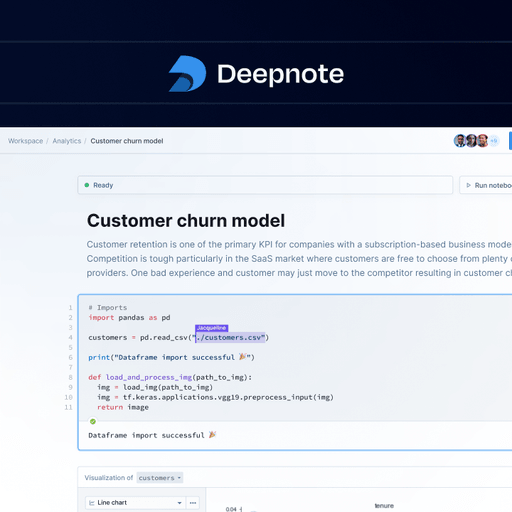
Deepnote is a collaborative data workspace that combines notebooks, SQL and Python exploration, dashboards, and AI features. Teams can build data apps, run machine learning models, and deploy autonomous data agents to automate analysis and insights. It connects to over 100 data integrations and allows users to work together in real time.
Written by our automated systems from Deepnote's own description and website. It is a summary, not a scored review — we publish no rating, score or percentage we did not measure ourselves. The maker of this listing can edit or remove it.
What is Deepnote?
Deepnote is a collaborative data workspace designed for data analysts, scientists, and engineering teams to explore data using Python and SQL. It combines notebooks, dashboards, data apps, and AI-driven analytics features into a single cloud-based environment. The platform allows teams to build machine learning models, run ETL pipelines, and deploy autonomous data agents to automate analysis and insights.
Deepnote key features
- Collaborative notebooks combining Python and SQL exploration with real-time teamwork
- Autonomous data agents for automating analysis, fraud detection, and insight generation
- Data apps and interactive dashboards creation with custom layouts and input controls
- Model training, serving, and monitoring capabilities with GPU support
- ETL and data transformation pipelines with scheduling options
- Integration with over 100 data sources, APIs, and MCPs
- Version history and code review tools for tracking changes and catching bugs
- Local development support via Visual Studio Code and Claude Code integrations
Deepnote pros and cons
Pros
- Strong real-time collaboration tools for data teams working simultaneously on notebooks and dashboards.
- Comprehensive machine learning support allowing users to train, serve, and monitor models directly from the notebook environment.
- Extensive integration ecosystem connecting to over 100 existing data sources and infrastructure stacks.
Cons
- The Free tier limits users to 5 projects and 3 editors, which may restrict growing teams.
- AI features on the Free tier are heavily capped with limits such as 10 code completions and 5 auto-AI calls per month.
- Advanced security, audit logs, and SSO features are restricted to the custom-priced Enterprise tier.
Who Deepnote is for
Deepnote fits data science teams, analytics professionals, and developers who need to collaborate on notebooks, build interactive data apps, and deploy autonomous agents connected to existing data warehouses. It is well-suited for organizations in fintech, biotechnology, and research. It is a poor fit for casual users who do not work with code, SQL, or machine learning models, as well as teams seeking an entirely open-source platform without paid tiers.
Deepnote pricing
Deepnote operates on a freemium model with a free tier and paid plans above it. The Free tier is free forever and includes up to 3 editors, 5 projects, limited AI access, 7-day revision history, and basic machines with 5 GB RAM and 2 vCPU. The Team plan costs $39 per editor per month billed yearly (or monthly billing options), including unlimited viewers and notebooks, GPT-5.5 and Sonnet access, premium integrations, background execution, scheduled notebooks, 30-day revision history, and monthly allowances for AI credits, CPU, and GPU. The Enterprise plan requires contacting sales for custom pricing and includes custom contracts, priority support, dedicated success managers, unlimited AI, permission groups, SSO, audit logs, and single-tenancy options.
What makes Deepnote different
Unlike traditional isolated notebook environments or standard business intelligence dashboards, Deepnote integrates code execution, data apps, and autonomous agents in a single shared workspace. While tools like Jupyter run primarily locally or require manual server management, Deepnote provides cloud-based execution with built-in hardware controls, 100+ data stack integrations, and headless components for AI agents. It also extends its workflow directly into developer environments like Visual Studio Code and Claude Code.
Deepnote integrations and compatibility
Spark, Snowpark, LookML, dbt, Snowflake, Salesforce, Notion, and over 100 other data sources, APIs, and MCPs.
Is Deepnote worth trying?
Deepnote is worth trying for data teams and analysts who want to combine collaborative notebooks, SQL and Python workflows, and AI assistance in one workspace. The free tier provides a low-risk way to test basic projects and limited AI capabilities before committing to paid plans. Organizations needing advanced security controls, single-tenancy, or custom audit logs will need to contact sales for the Enterprise plan. Teams that do not use cloud notebooks or prefer entirely local offline workflows should look elsewhere.
Deepnote alternatives
The data tools listed here closest to Deepnote, by shared categories and tags and by how alike the two descriptions read. Not a ranking against Deepnote — open one and judge for yourself.
 HexCollaborative notebooks for SQL, Python and reporting
 Lutra AIConnect enterprise data and apps to AI
 VannaAI-powered SQL generation and data agent framework
 AI2SQLAI-powered SQL query generator and database assistant
 RebyteHire a team of AI agents on real cloud computers
 GumloopBuild AI agents for work
Be the first to comment